
-
test
How to Install Webmin on AlmaLinux 10
Webmin is a web-based dashboard that allows sysadmins to manage Linux and Unix-like systems (especially servers). Webmin allows system administrators to manage user accounts, update packages, view system log files, configure firewalls, email, database, postfix, etc.
Update system packages
sudo dnf update -yInstall dependencies
sudo dnf install -y perl perl-Net-SSLeay openssl wget epel-release perl-coreInstall CPAN for missing Perl modules
sudo dnf install -y perl-CPANUse CPAN to install missing Perl modules
sudo perl -MCPAN -e 'install IO::Tty'
sudo perl -MCPAN -e 'install Encode::Detect'
Download and install Webmin
wget https://www.webmin.com/download/rpm/webmin-current.rpm
sudo rpm -Uvh webmin-current.rpm
Open firewall port for Webmin
sudo firewall-cmd --add-port=10000/tcp --permanent
sudo firewall-cmd --reload
Start and enable Webmin service
sudo systemctl start webmin
sudo systemctl enable webmin
Access Webmin Web Interface
https://<your-server-ip>:10000Use your root username and password to log in.
⚠️ When logging in for the first time, you will see an ‘invalid SSL’ warning.
Click on Advanced → Accept the risk and continue.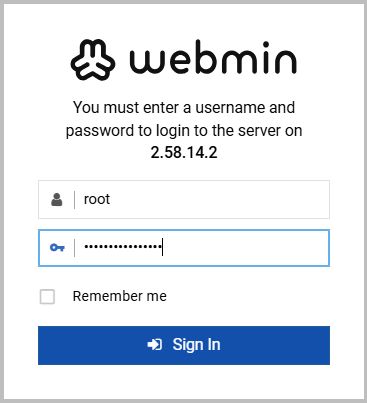


Comments are closed.
